
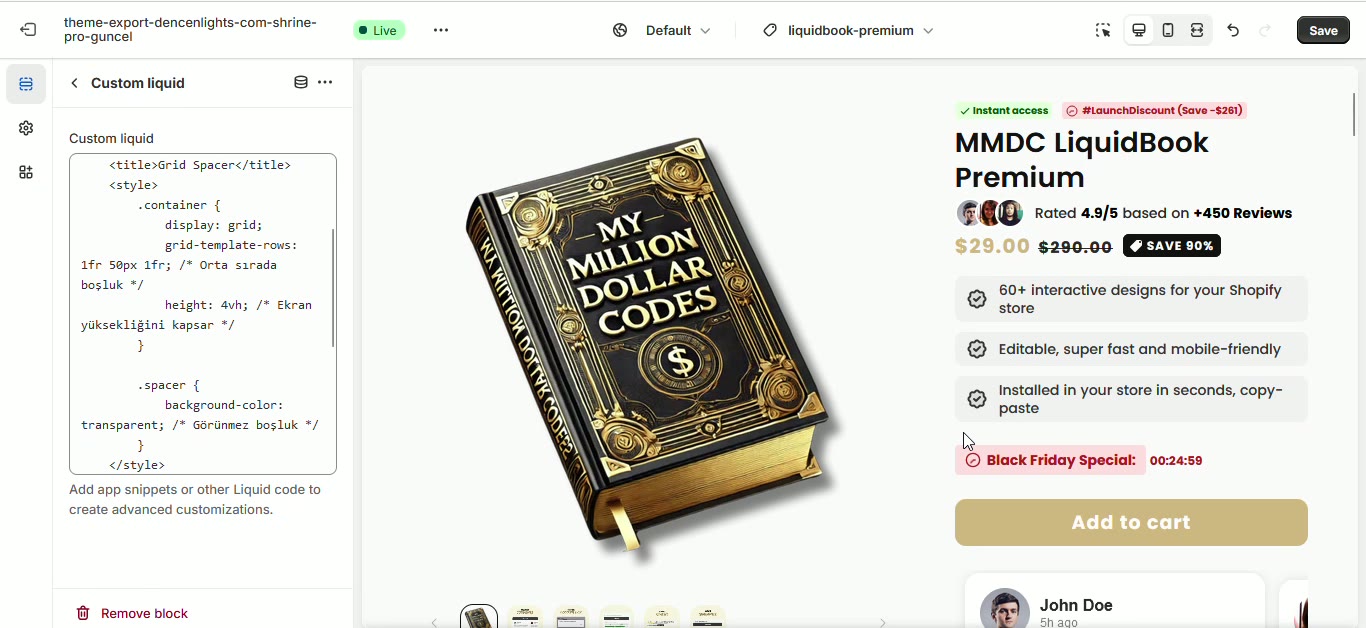
Special code (spacing)
This snippet utilizes a CSS Grid container to generate a fixed vertical gap between layout elements. It defines a three-row grid structure where a transparent center row acts as a controlled spacer to separate content sections.
- CSS Grid layout integration
- Fixed pixel-based vertical spacing
- Transparent visual separation
- Adding breathing room between custom sections
- Separating stacked design elements in a fixed layout
- Creating consistent vertical gaps without margin padding conflicts
- Most Shopify themes
The code
1It creates spaces between designs.2----------------------------------------------------------345<!DOCTYPE html>6<html lang="en">7<head>8 <meta charset="UTF-8">9 <meta name="viewport" content="width=device-width, initial-scale=1.0">10 <title>Grid Spacer</title>11 <style>12 .container {13 display: grid;14 grid-template-rows: 1fr 50px 1fr; /* Orta sırada boşluk */15 height: 4vh; /* Ekran yüksekliğini kapsar */16 }1718 .spacer {19 background-color: transparent; /* Görünmez boşluk */20 }21 </style>22</head>23<body>24 <div class="container">25 <div></div> <!-- Üst kısım -->26 <div class="spacer"></div> <!-- Boşluk -->27 <div></div> <!-- Alt kısım -->28 </div>29</body>30</html>
How to install Special code (spacing) on your Shopify theme
This snippet belongs in sections/main-product.liquid (or any section where you want it to appear), in the block of your template where it makes the most contextual sense. Expect the whole job to take about 5–10 minutes.
- 1From your Shopify admin, open Online Store → Themes, click the … button on your live theme and choose Duplicate. Always work on a copy so you can roll back instantly.
- 2On the duplicated theme, click … → Edit code to open the theme code editor.
- 3Open sections/main-product.liquid (or any section where you want it to appear) in the file tree. If your theme uses different file names, search for the template that renders the area where you want the block to show up.
- 4Click Copy code on this page, then paste the snippet in the block of your template where it makes the most contextual sense.
- 5The snippet ships with its own scoped
<style>block, so you do not need to touchbase.cssortheme.css. If you prefer to keep CSS centralised, move the contents of the style tag into your theme stylesheet and delete the inline block. - 6Click Save, then hit Preview and check the block on desktop, tablet and mobile widths.
- 7When you are happy with the result, publish the duplicated theme from Online Store → Themes → Actions → Publish.
How to customise it
Every value below lives inside the snippet, so you can adapt Special code (spacing) to your brand without touching the rest of the theme.
- Copy — rewrite the hard-coded text (for example “Grid Spacer”) in your own brand voice, and translate it if you sell in more than one language.
Common mistakes to avoid
These are the issues merchants run into most often when installing a snippet like this one.
- Editing the live theme directly. Duplicate it first — a single unbalanced Liquid tag can take a storefront down mid-campaign.
- Pasting the code into the wrong file. Dropped into
layout/theme.liquidinstead ofsections/main-product.liquid, this block will render on every page of the store, including ones where it makes no sense. - Renaming the CSS classes in the markup but not in the style block, or vice versa. The class names have to match exactly or the styling silently disappears.
- Publishing without testing on a real phone. Most Shopify traffic is mobile, and layout problems almost always surface there first.
Performance notes
What this block costs you in load time, and how to keep that cost at zero.
- The CSS is inline and scoped to this block, so it adds no extra network request. At a few kilobytes it has no measurable effect on your Lighthouse score.
- Run PageSpeed Insights before and after you add the block so you have a concrete number rather than a guess.
SEO & accessibility
How to add this block without damaging your on-page structure or your rich results.
- Nothing in this snippet should replace your page
<h1>. Keep product and page headings intact and use<h2>or<h3>for the block's own heading so the document outline stays clean. - If the block shows review or rating content, keep it consistent with the structured data your review app already outputs. Duplicating or contradicting rating markup can cost you the rich result entirely.
- The block does not create a new URL, so there is no canonical or indexing change to make. It improves on-page engagement signals rather than crawlability.
Special code (spacing) — questions merchants ask
Will this snippet work with my theme?
It is built with standard Liquid, HTML and CSS, so it works with Dawn and virtually every Online Store 2.0 theme, as well as most vintage themes. The only thing that changes between themes is the file you paste it into — if yours has no sections/main-product.liquid, look for the equivalent template that renders the same area.
Do I need an app to use it?
No. This is theme code you own outright: no monthly fee, no third-party script tag, and no app that can break your storefront the next time it updates.
How long does it take to add “Special code (spacing)” to a store?
Most merchants have it live in under fifteen minutes — duplicate the theme, paste the code, adjust the colours and copy, preview on mobile, publish.
The styling looks broken after pasting. How do I fix it?
Confirm you copied the whole snippet including the closing style tag, then check whether one of your theme's own CSS rules is overriding it. If a theme rule wins, increase the specificity of the snippet's selector rather than scattering !important through the file.
Will it slow my store down?
Not meaningfully. It is inline markup with scoped CSS and at most a few lines of vanilla JavaScript — no external libraries, no extra HTTP request. Optimising your product images will always have a far bigger impact on load time.
Can I use it on a client store or a commercial project?
Yes. Every snippet in the MCO Hub library is free to copy, modify and ship on any store, including client work. Attribution is appreciated but not required.
Related snippets


Keep exploring
Tools
Deals & Discounts